in:Flux v4.40 Release Highlights
February 17, 2026 · Allen Miller
in:Flux
Feature Improvements
-
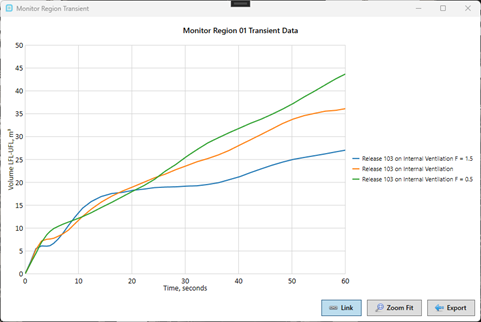
Multiple transient profiles can now be plotted in the monitor windows.
-
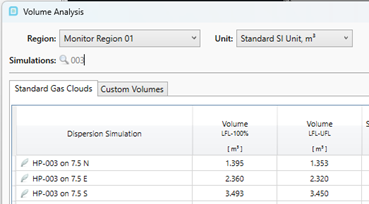
Added filters to all the monitor data windows so that data from individual simulations can be easily extracted.
-
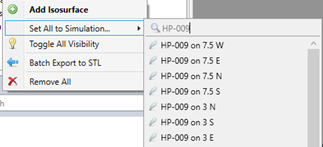
Added filters to the menus that include all simulations as options, for example when using “Set All to Simulation” in the context menu for visuals.
-
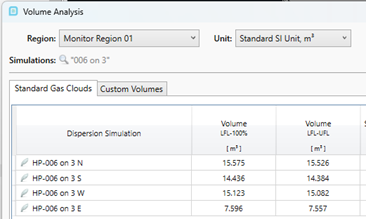
Added functionality for quotes in the object filters to enable searching by phrase.
-
Added “Copy to Clipboard” and “Set for All Visuals” to monitor window context menus.
-
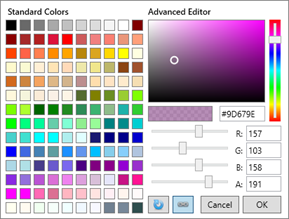
New color picker for all colored project items:
-
Added confirmation when removing a risk dataset.
-
Better support for loading projects to the cloud that include data (.ifxs) files.
Bug Fixes
- Fixed UI errors on the Risk Analysis window that caused the window to crash.
- Fixed bug for maximum fatality contours for incident radiation variables.
- Fixed refresh from datafiles which sometimes caused risk analyses to not be updated.
- Fixed issue that caused slow load times when contours were set to line type.
- Fixed issue where monitor points and lines were not added to the gas detector optimization settings when the gas detector optimization window was closed.
Release Date:
Feb 10, 2026